
How to Organize a Home Office: A 2026 Step-by-Step Guide
Table of Contents
- Start with a Decluttering Checklist for Remote Workers
- How to Organize Home Office Zones for Focus and Flow
- Small Home Office Storage Hacks That Reclaim Your Desk Surface
- Home Office Cable Management Solutions for Tangled Cables
- Essential Gadgets for Home Office Productivity in 2026
- Paperwork, Digital Decluttering, and Electronics Recycling
- How Often Should You Reset Your Home Office?
- Frequently Asked Questions
Last Updated: September 23, 2026
Start with a Decluttering Checklist for Remote Workers
More than 30% of workers with teleworkable jobs now work from home all the time, according to WorkTime's 2026 return-to-office report. That is up from just 14% before the pandemic. So if your home office has quietly become a storage closet, you are not alone.
This guide walks through how to organize home office spaces in eight clear steps. The core idea is simple: clear the junk first, then build zones, storage, and habits that keep it that way.
Most people start by buying bins and shelves. That is backwards. You end up storing things you never needed.
How to organize a home office starts with one honest pass through your supplies. Here is a checklist to work through:
- Clear your desk completely and sort everything into piles
- Test every pen, charger, and cable, then toss the dead ones
- Set a limit for "just in case" items, such as one small bin
- Shred old paperwork with account numbers or personal data
- Move anything you have not touched in a year to a donate box
- Wipe down surfaces before anything goes back
The 5-5-5 Rule, the 12-12-12 Rule, and the One-Touch Method
Three simple rules make the first pass faster.
The 5-5-5 rule means you grab five items to keep, five to toss, and five to relocate. Repeat until the pile is gone.
The 12-12-12 rule works the same way but in bigger batches: 12 items to keep, 12 to donate, 12 to throw away. It suits a full closet or filing cabinet.
The One-Touch Method is the habit that holds it all together. When you pick something up, you deal with it right then. No "later" pile.
What to Keep, Donate, Recycle, or Shred
Sort every item into one of four buckets.
- Keep: Anything you used in the last six months
- Donate: Working gear you have outgrown or replaced
- Recycle: Dead electronics, which we cover in more detail below
- Shred: Bank statements, tax drafts, and anything with your Social Security number
How to Organize Home Office Zones for Focus and Flow
Split your space into zones so your brain knows what happens where. This is one of the trends reshaping home offices in 2026: Homes & Gardens' coverage of zoning for productivity notes that designating specific areas for different tasks improves workflow.
A basic setup needs three zones:
- Work zone: Desk, monitor, keyboard, and nothing else
- Storage zone: Shelves, drawers, and bins for supplies
- Staging zone: A single tray for mail, receipts, and things in progress
The staging area matters more than people think. Without it, every loose item lands on your desk.
Small Home Office Storage Hacks That Reclaim Your Desk Surface
Small home office storage hacks work best when they move clutter up, not out. Vertical space is the most underused asset in a home office, and The Decor Fix's 2026 storage trends points to wall-mounted shelving as the top way to free up desk area.
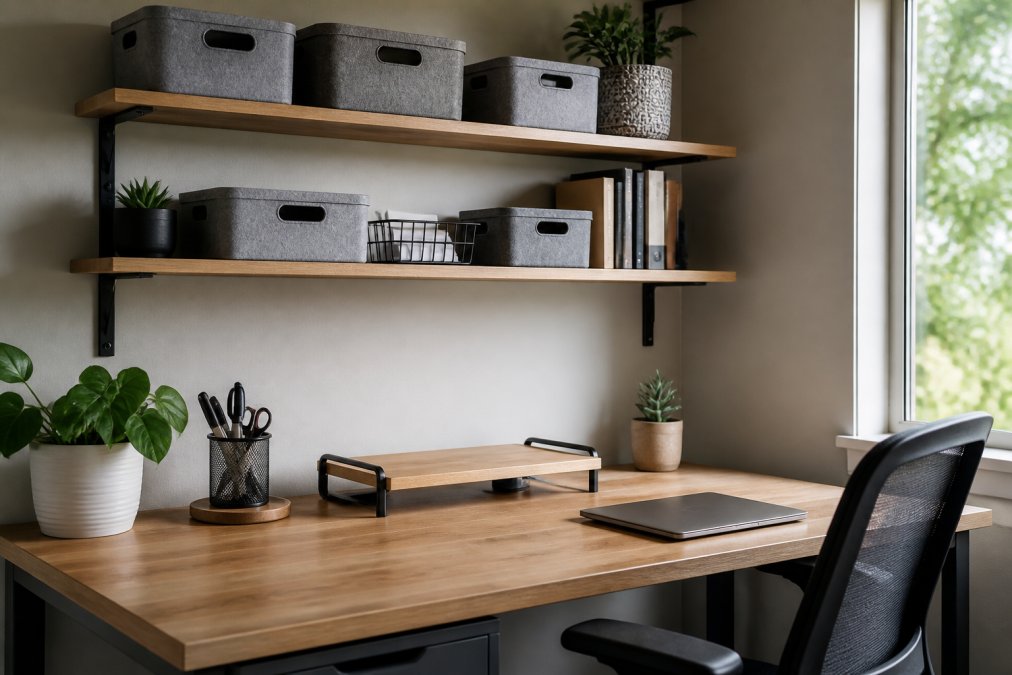
Vertical Space, Drawer Dividers, and a Labeling System
Wall shelves and pegboards pull supplies off your desk. A monitor stand lifts your screen and gives you a shelf underneath.
Home Office Cable Management Solutions for Tangled Cables
Home office cable management solutions fix the mess under your desk in about 30 minutes. Tangled cables are the most common complaint in home office setups, and they are the easiest problem to solve.
Here is the order that works:
- Unplug everything and lay the cables flat
- Label each cable at both ends
- Group cables by route: power, data, and display
- Bundle each group with velcro ties, not zip ties
- Mount a tray or channel under the desk
- Leave one loop of slack at each device
Essential Gadgets for Home Office Productivity in 2026
The right gadgets remove friction, not add it. Essential gadgets for home office productivity should each replace a problem you actually have, and on a desk, the biggest problem is surface area. Every device that sits on your desk permanently costs you usable workspace, so the goal is to consolidate functions rather than add them.
| Gadget | What It Fixes | Why It Helps |
|---|---|---|
| USB-C monitor | Cable and speaker clutter | One cable for video, audio, and power |
| Wireless charger | Charging cable pileup | One Type-C cord for three devices |
| Phone ring stand | Phone sliding around | Doubles as a hands-free stand |
| Monitor stand | Low screen, no storage | Raises screen, adds shelf space |
| Under-desk keyboard tray | Wrist strain, lost surface | Frees the desk edge for writing |
Desktop Organization That Actually Holds Up
A clear desk is not the same as an organized one. The difference is whether every item has a defined home. Use the "primary zone" rule: the area within arm's reach of your chair should hold only what you touch daily, keyboard, mouse, phone, and one notebook. Everything else moves to a drawer, a shelf, or a wall mount.

Three mechanisms keep a desktop clear:
- Lift: A monitor arm or stand raises the screen and creates usable space underneath for a keyboard or tray.
- Consolidate: A single USB-C dock or monitor with built-in speakers replaces a tangle of dongles and desktop speakers.
- Contain: One small tray for keys, earbuds, and a pen keeps loose items from scattering across the surface.
Ergonomic Setup as an Organizing Tool
Ergonomics and organization are the same project. When your monitor, keyboard, and chair are positioned correctly, you stop shuffling items around to get comfortable, and that shuffling is what creates clutter.
A common pattern practitioners recommend:
- Top of the monitor at or just below eye level, about an arm's length away
- Keyboard and mouse at elbow height, with wrists straight
- Feet flat on the floor or on a footrest
- The most-used items within a 16-inch reach radius
Buy gadgets that remove a cable or a device. If a gadget adds a cord, it adds clutter.
Paperwork, Digital Decluttering, and Electronics Recycling
Paper and files pile up faster than anything else. The fix is a retention rule: decide how long you keep each type of document, then stick to it.
- Keep indefinitely: Tax returns, W-2s, and records of home purchases or major improvements
- Keep 7 years: Records supporting a deduction or credit on a filed return
- Keep 3 years: Routine bills and statements, matching the standard audit window
- Keep 1 year: Pay stubs, after reconciling them against your W-2
- Shred immediately: Credit card offers, expired insurance cards, and anything with a full account number
Digital Decluttering: The Step Most Guides Skip
Your desktop, downloads folder, and cloud drive need the same four buckets as your physical desk:
- Keep: Active projects and reference files
- Archive: Finished work you may need again
- Delete: Duplicates, drafts, and old downloads
- Back up: Anything irreplaceable, stored off your main drive
Electronics Recycling
Electronics recycling is the last step, and the one people skip. Old routers, dead laptops, and obsolete phones should go to a certified recycler, not a drawer. Wipe your data first.
A "junk drawer" of old electronics becomes a data risk. Every device with a drive holds personal files. If you cannot wipe it, do not donate it.
How Often Should You Reset Your Home Office?
A home office needs a five-minute reset daily and a deeper reset every season. Maintenance is the step almost every guide skips, and it is the reason tidy offices turn messy again.
Your routine:
- Daily: Clear the desk surface and empty the staging tray
- Weekly: File or shred loose paper, wipe down screens
- Monthly: Check cable ties, restock supplies, empty the donate box
- Seasonally: Re-sort drawers, review what you kept, recycle dead electronics
Frequently Asked Questions
What is the 5-5-5 rule for decluttering a home office?
The 5-5-5 rule sets three quick targets: find five items to throw away, five to donate, and five to return to their proper place. It works because it removes the paralysis of sorting everything at once. In a home office, that usually means old pens and dried-out markers in the trash, duplicate chargers and outdated cables in the donation box, and stray mugs, books, and papers back where they belong. Run it once a week and you stay ahead of clutter instead of facing a full-day purge.
How do I organize a small home office with no storage?
Go vertical and use the desk itself. Wall-mounted shelving turns unused wall height into book and supply storage, and a monitor stand with drawer space lifts your screen to eye level while creating a tray underneath for a keyboard or notebook. Drawer dividers, trays, and labeled bins keep small items from spreading across the desk surface.
What is the best way to manage cables in a home office?
Route before you hide. Group cables by device, label both ends, and bundle each run with hook-and-loop ties so you can change devices without cutting anything. Mount a power strip under the desk or along the back edge, then run one cable from the wall to that strip. For monitors and phones, wireless charging removes a cable entirely; a three-in-one magnetic wireless charger handles multiple devices from one Type-C connection at up to 15W. Leave a little slack at every bend so nothing pulls loose.
How often should I declutter my workspace?
Do a five-minute reset at the end of each workday, a 15-minute drawer and paper sort once a month, and a full reset twice a year. The daily reset keeps your desk surface clear for the next morning. Monthly sessions catch the paper pileups and stray office supplies before they spread. The twice-yearly pass is when you handle bigger jobs like electronics recycling, shredding old documents, and reviewing whether your storage layout still matches how you actually work.