
Why Upgrade Home Office Tech: 7 Upgrades That Work
Table of Contents
- Why Home Office Tech Upgrades Matter More Than Ever
- Essential Gadgets for Home Office That Solve Real Problems
- Ergonomic Office Equipment Benefits You'll Feel Within Weeks
- Home Office Productivity Tips That Pair With Better Tech
- What Most Upgrade Guides Skip: Energy, Acoustics, and Small Spaces
- How to Choose Your Next Home Office Tech Upgrade
- Frequently Asked Questions
Last Updated: September 19, 2026
Why Home Office Tech Upgrades Matter More Than Ever
According to Gable's Remote Work Trends 2026 report, 90% of companies plan to maintain or expand remote work options through 2026. That single number explains why upgrade home office tech has moved from a nice-to-have to a retention strategy. At Tech Sphere and More, we see the same pattern in what customers ask for: fewer novelty buys, more tools that fix a specific daily frustration.
The Remote Work Shift Is Permanent
The office isn't coming back as the default. Gable's 2026 data also found that 76% of employees say they would quit if forced to return full-time. When your workspace is permanent, cheap equipment stops being a temporary compromise. It becomes the thing you stare at for eight hours a day.
The Cost of Sticking With Outdated Equipment
Outdated gear doesn't announce itself. It shows up as eye strain at 3 p.m., a stiff neck by Thursday, and a video call where you look like you're broadcasting from a closet. A Steelcase study on workspace design found that a better work-from-home setup drives higher comfort, engagement, and productivity. The fix is usually cheaper than the fatigue it prevents.
Essential Gadgets for Home Office That Solve Real Problems
The best essential gadgets for home office work are the ones that remove a recurring annoyance, not the ones with the longest feature list. Two categories deliver the biggest return: what you look at, and what you hear.
Monitors and Screen Real Estate
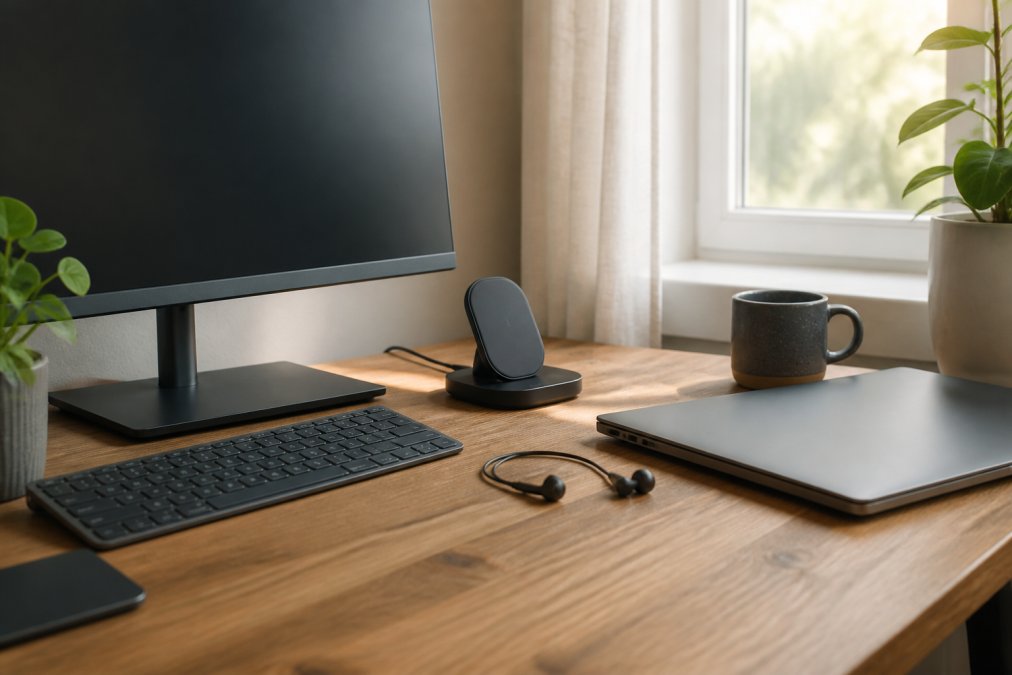
A single laptop screen forces constant window-switching, and that friction adds up. The Monitor Sansui 24 Inches TV ($97.77) gives you a 24-inch Full HD panel with a 75Hz refresh rate and 99.99% sRGB coverage. It includes USB-C and HDMI cables, built-in 2x2W speakers, and an anti-glare screen that reduces eye strain during long sessions. The three-sided edgeless design frees up desk space, and the 75x75mm VESA mount works with a monitor arm if you want your screen at eye level.

Audio Gear and Connectivity
Bad audio ruins more meetings than bad video. The In-Ear Design Wireless Headphones for Summer ($16.06) use Bluetooth 5.4 for a stable connection and come in black, silver, or yellow. If you prefer a wired setup for gaming or music, the Wired Earphones Headset with Mic ($18.69) delivers immersive sound at a low price. For all-day calls, the Bluetooth Trucker Headset Earpiece ($63.16) runs 24 hours per charge with 60 days of standby and CVC 6.0 noise handling for clearer speech.
| Upgrade | Price | Best For | Key Spec |
|---|---|---|---|
| Monitor Sansui 24 Inches TV | $97.77 | Screen real estate | 24" Full HD, 75Hz, USB-C |
| In-Ear Wireless Headphones | $16.06 | Everyday calls | Bluetooth 5.4 |
| Wired Earphones with Mic | $18.69 | Gaming, music | Immersive sound |
| Bluetooth Trucker Headset | $63.16 | Long call days | 24h battery, CVC 6.0 |
Ergonomic Office Equipment Benefits You'll Feel Within Weeks
The ergonomic office equipment benefits that matter most show up in your body, not your spec sheet. A National Center for Biotechnology Information study found that office design and environment significantly affect employee health and perceived productivity. You don't need a full overhaul to feel the difference.
Posture, Comfort, and Long-Term Health
Start with screen height. Raising your monitor so the top edge sits at eye level removes the downward head tilt that causes neck strain. Add a Portable Heater ($54.68) if your space runs cold; its 500W fan-forced output warms small rooms quickly, and the tip-over switch and overheat protection make it safe to leave running nearby.
Home Office Productivity Tips That Pair With Better Tech
The most useful home office productivity tips are the boring ones: reduce friction, then protect your focus. But friction isn't just visual clutter, it's the cumulative cost of small interruptions. A charger that only works when the cable is seated just right, a monitor that wakes slowly, a headset that needs re-pairing every morning: each one costs seconds, and those seconds compound into lost deep-work blocks.
- Swapping a single charging cable between phone, earbuds, and laptop
- Re-pairing Bluetooth devices after they disconnect overnight
- Adjusting monitor brightness manually as the room light changes
- Hunting for a pen, a dongle, or a notepad that has no fixed home
Why This Matters More Than Another Gadget
Most upgrade guides treat productivity as a software problem, install this app, try this timer. But the hardware layer is where friction actually lives. A 2023 survey by the American Psychological Association found that chronic small stressors at work accumulate into measurable fatigue, and remote workers have fewer built-in resets than office workers do. Removing three micro-interruptions from your day is worth more than adding a fourth productivity app.
What Most Upgrade Guides Skip: Energy, Acoustics, and Small Spaces
Three problems get almost no coverage in standard upgrade guides, yet they cause the most frustration in real home offices: power draw, echo, and limited space. Each has a low-cost fix, and each is a gap the big listicles consistently miss.
Power Management and Energy Efficiency
Energy efficiency starts with knowing what draws power. A 500W heater running four hours a day uses about 2kWh daily. At the U.S. average residential rate of roughly 16-17 cents per kWh (per the U.S. Energy Information Administration), that's about $0.32-$0.34 per day, or roughly $10-$12 over a winter month, real money for a device most guides never mention.
- Run the heater only while you're at the desk, not all day.
- Use a charger that delivers the wattage your devices actually need rather than leaving a high-draw brick plugged in 24/7.
- Put monitors, speakers, and chargers on a switched power strip so they fully power down overnight.
- Check whether your monitor has an auto-sleep or eco mode, many ship with it disabled.
Acoustic Treatment for Home Offices
Acoustic treatment is the second gap. Hard floors and bare walls bounce sound straight back into your microphone, which is why callers hear an echo. The fix is absorption, not expensive panels:
- A thick area rug under the desk absorbs floor reflections.
- A bookshelf with unevenly sized books diffuses sound better than a flat wall.
- A fabric wall panel or even a heavy curtain behind you absorbs most of the remaining bounce.
- Position your microphone so it points away from the bare wall behind your monitor.
Tech Upgrades for Small and Shared Spaces
The third gap is small and shared spaces. In a studio apartment or a shared room, every item has to earn its footprint. Prioritize gear that folds, stacks, or doubles up:
- A Metal Phone Ring Stand Holder ($14.82) folds flat and doubles as a hands-free viewing stand.
- The Bluetooth Beanie Hat with Microphone ($6.92) keeps calls private without a bulky headset when you're moving around.
- A monitor arm frees the desk surface entirely, which matters more in a 6-foot-wide workspace than in a dedicated office.
- Wall-mount or clamp-mount lighting avoids taking up desk space.
The upgrades that stick are the ones that solve a problem you notice daily. Fix audio echo and cable clutter before you buy anything with a screen, and if your space is small, make every item earn its footprint.
How to Choose Your Next Home Office Tech Upgrade
Pick the upgrade that removes your most frequent frustration, not the one with the best reviews. Use this order:
- Track which task annoys you most for one week (eye strain, echo, dead batteries, clutter)
- Set a budget cap before you browse
- Check that the device fits your actual desk dimensions
- Confirm the connection type matches your laptop's ports
- Verify the return window before ordering
Frequently Asked Questions
What is the best tech for a home office?
The best home office tech depends on your daily tasks, but a few upgrades deliver the widest impact. A 24-inch Full HD monitor like the Sansui model with USB-C and HDMI ports expands screen real estate and reduces eye strain. Wireless charging keeps your phone topped up without cable clutter. Audio gear with a clear microphone improves video conferencing. Start with the device you use most and upgrade from there.
How does better office technology improve productivity?
Better tech removes friction from your workday. A larger monitor means less window-switching, a reliable headset means clearer calls, and a wireless charger means fewer interruptions hunting for cables. Research from Steelcase in 2026 found that a better work-from-home setup provides increased comfort, higher engagement, and boosted productivity. The gains come from removing small daily annoyances that compound over weeks.
What are the must-have home office gadgets for 2026?
For 2026, prioritize a high-definition monitor with USB-C connectivity, a multi-device wireless charger, and audio gear with noise-canceling or clear microphone capability. A portable heater for small spaces also helps if your office runs cold. Each of these addresses a specific pain point: screen space, cable clutter, call quality, and physical comfort. You do not need everything at once, just the ones matching your biggest daily frustration.
When should you replace your home office equipment?
Replace equipment when it stops meeting your workflow needs, not on a fixed schedule. Signs include monitors that cause eye strain, headphones with degraded audio, chargers that no longer hold devices reliably, or peripherals that slow you down. Gable's 2026 report found that 44% of remote workers log longer hours from home, which accelerates wear on gear and raises the cost of putting up with failing equipment.
Upgrading home office tech doesn't require rebuilding your workspace in one weekend. It requires fixing the one thing that breaks your focus every day, then moving to the next. Tech Sphere and More stocks the monitor, audio gear, and charging tools that cover most of those fixes in a single order, with a catalog that keeps changing as new products arrive. Start with the upgrade that solves your biggest daily annoyance, and build from there.