
How to Return Online Tech Orders: 2026 Step-by-Step
Table of Contents
- What You'll Need Before Starting Your Return
- Step 1: Check Your Return Window and Start the Request
- Step 2: Factory Reset Devices Before Return
- Step 3: How to Package Electronics for Shipping
- Step 4: Drop Off Your Package and Track It
- Restocking Fees for Tech Returns and Other Deductions
- Online Order Refund Timeline: When to Expect Your Money
- Troubleshooting Failed Return Requests
- Frequently Asked Questions
Last Updated: September 26, 2026
What You'll Need Before Starting Your Return
Roughly one in five online orders gets sent back, and the average ecommerce return rate is 20.8% in 2026, according to Ringly's ecommerce return statistics. If you're staring at a gadget that didn't work out, knowing how to return online tech orders starts with gathering the right documents before you touch a single box.
- Order confirmation or purchase history from your account dashboard
- Packing slip that arrived with the item
- Original form of payment details for the refund
- Serial number or IMEI for phones, tablets, and laptops
- Photos of the item and any damage
- Original packaging, if you still have it
Step 1: Check Your Return Window and Start the Request
Return windows for tech are shorter than most people expect: many retailers allow 14 to 30 days from delivery, and the clock starts on the delivery date, not the order date.
You'll need to answer a few questions:
- Why are you returning the item?
- Is it defective, unwanted, or damaged in transit?
- Do you want a refund, an exchange, or store credit?
Step 2: Factory Reset Devices Before Return
A factory reset wipes your personal data and restores the device to its original settings. Skipping it is the biggest mistake people make when returning phones, tablets, laptops, and smart devices, and the reason so many tech returns get rejected at inspection. The order matters more than the reset itself:
- Back up first. Move photos, files, and messages to the cloud or an external drive. Once the wipe runs, there is no undo.
- Sign out of every account. That means Apple ID, Google, Microsoft, Samsung, and any banking or password-manager apps. Signing out is not the same as deleting the app.
- Turn off activation locks and tracking. On Apple devices, disable Find My before you erase, or the device stays locked to your Apple ID. On Android, remove your Google account and turn off Find My Device. On Windows, unlink the device from your Microsoft account.
- Remove physical media. Eject SIM cards, microSD cards, and any dongles or adapters that shipped with the device.
- Run the factory reset from the settings menu, not from a third-party app.
- Confirm the setup screen. The device should boot to the initial welcome screen, not your home screen. If it asks for your old password, the wipe did not fully take.
Activation locks are the real gatekeeper
An activation lock is a theft-prevention feature that ties a device to your account even after a factory reset, which is why a "wiped" phone can still be unusable to the next owner. Erase an iPhone without turning off Find My first and it will demand your Apple ID and password on first boot; the same applies to Android's Factory Reset Protection and many laptops with firmware-level account binding.
Smart home and connected gear
Smart speakers, cameras, thermostats, and wearables stay linked to your home network and companion app. Unlink the device from its app, remove it from your Wi-Fi, and delete saved routines or scenes, otherwise the next owner may see your network name, and in some cases your camera feeds. For devices with built-in storage, such as cameras and dash cams, wipe the memory card separately; a factory reset often leaves the card untouched.
If you cannot disable an activation lock because you forgot the password, contact the manufacturer before shipping. Retailers generally will not accept a device that still shows an activation lock, and shipping it anyway can cost you the refund and the return shipping.
Step 3: How to Package Electronics for Shipping
Packaging electronics for shipping means protecting the item from drops, moisture, and static. Use the original packaging whenever possible. It was designed for that exact device.
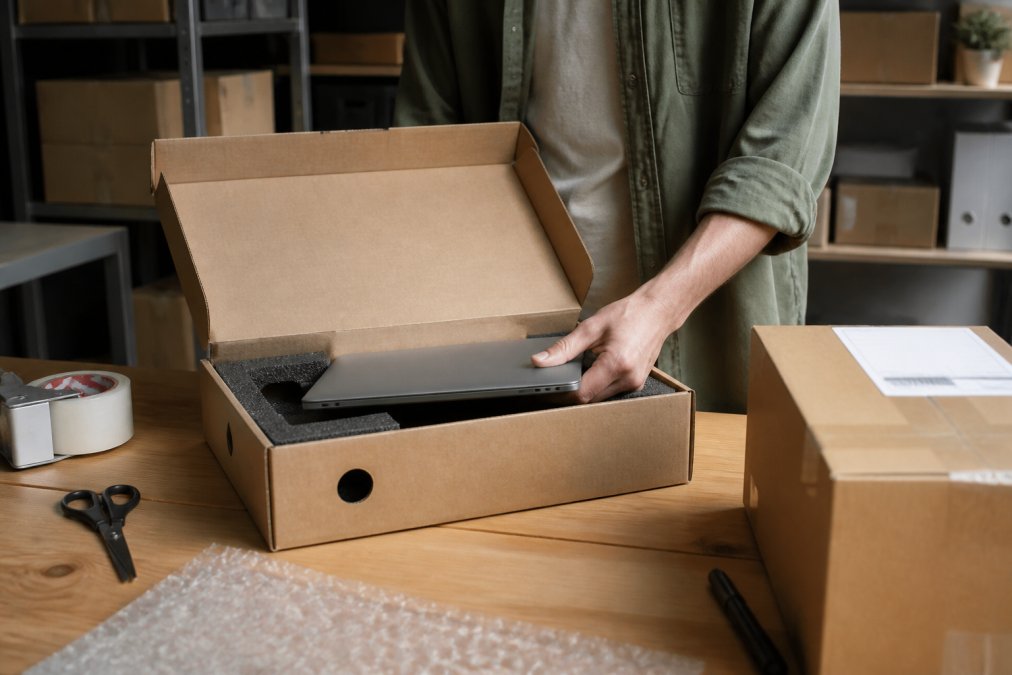
If the original box is gone, follow this method:
- Wrap the device in anti-static bubble wrap or foam
- Fill empty space with packing paper so nothing shifts
- Use a sturdy corrugated box, not a poly mailer
- Tape all seams with packing tape, not masking tape
- Place the prepaid shipping label on the largest flat side
- Write the return authorization number inside the box
Step 4: Drop Off Your Package and Track It
Drop-off is the easy part, but the carrier matters. Most prepaid labels specify UPS, FedEx, or USPS, using the wrong one voids the label. Ask for a receipt at drop-off; without it, a lost parcel becomes your problem, not the retailer's. Then track the parcel daily. Most returns show "delivered" within 3 to 7 business days.
Here's what to watch for:
- Delivered but no refund yet: normal, refunds lag behind delivery
- Stuck in transit for 10+ days: contact the carrier first
- Marked delivered to wrong address: file a claim immediately
Restocking Fees for Tech Returns and Other Deductions
Restocking fees for tech returns are charges some retailers subtract from your refund to cover inspection and repackaging. They're legal in most states and typically run 10% to 15% of the purchase price. Common triggers include:
- Opened items that are not defective
- Missing accessories, cables, or manuals
- Damaged original packaging
- Returns past the standard window but inside the extended period
Other deductions to expect:
- Return shipping costs, if the label was not prepaid
- Original shipping charges, on some "free shipping" orders
- Depreciation on high-value items like drones or cameras
If you paid with a gift card or store credit, your refund often comes back as store credit, not cash. Check the policy before you return.
Online Order Refund Timeline: When to Expect Your Money
Refund processing usually takes 5 to 10 business days after the retailer receives and inspects the item, and your bank may add another 3 to 5 days.
| Stage | Typical Time | What Happens |
|---|---|---|
| Carrier transit | 3-7 business days | Parcel moves to the returns center |
| Inspection | 1-3 business days | Item checked against policy |
| Refund issued | 1-2 business days | Refund sent to original form of payment |
| Bank posting | 3-5 business days | Money appears in your account |
Troubleshooting Failed Return Requests
Return requests fail for predictable reasons, and most are fixable without starting over. The trick is knowing which failure you're looking at and escalating through the right channel.
When the "Start Return" button is missing or broken
This is the most common dead end, and it usually has nothing to do with your order. Check these in order:
- Confirm you are in the right account. Guest checkout orders often do not appear in your dashboard. Look up the order by order number and email instead.
- Check the return window. Many portals hide the return button the moment the window closes, even by a day. If you are just outside it, call or email and ask for a one-time exception rather than fighting the portal.
- Try a different browser or the mobile app. Return portals frequently break on ad blockers, privacy extensions, or cached sessions. A private window clears most of these.
- Look for a marketplace split. If the item came from a third-party seller on a larger platform, the return may route through the seller's own flow rather than the main site.
- Open a ticket manually. If the button never appears, a customer service ticket with your order number, serial number, and photos creates a record the portal cannot.
Common rejection messages and what they mean
- "Outside return window": the clock usually runs from delivery, not order date. If you are within a few days, ask for an exception and cite the delivery date.
- "Item not eligible": some categories, like opened software, digital downloads, and hygiene items, are excluded by policy. Ask about store credit or a manufacturer warranty claim instead.
- "Label expired": prepaid labels often expire in 14 to 30 days. Request a fresh one through the portal; do not reuse an old label.
- "Return not received": upload your drop-off receipt and tracking number. This is where the receipt you kept at drop-off earns its keep.
- "Refund denied after inspection": ask for photos of the inspected item and the specific reason code. Denials are sometimes reversed when you can show the item arrived in the condition you shipped it.
Escalation that actually works
If the portal keeps rejecting you, move to writing, email beats chat because it creates a paper trail. Include your order number, return authorization number, tracking number, and a one-line summary of what you want, then give a specific deadline such as five business days and state you'll dispute the charge with your card issuer if it isn't resolved. That's not a bluff; card issuers have formal dispute processes for goods not received or refunds not issued.
Returning tech across borders
International returns are where the real complexity lives. If you bought a device from a retailer in another country, or you're shipping a return out of the country, expect three extra layers:
- Customs paperwork. You will typically need a commercial invoice or customs declaration describing the item, its value, and that it is a return, not a sale. Marking it as a return matters; otherwise the receiving country may assess duties on it.
- Duties and taxes you may not recover. Import duties and taxes paid on the original shipment are often non-refundable, even when the product is. Confirm this before you ship.
- Higher shipping costs and longer transit. International return shipping can cost more than the item is worth on lower-priced tech. Compare the cost against the refund before committing.
Screenshot every confirmation screen, chat transcript, and email the moment you submit a return. If the request fails later, that folder is your evidence, and it is far easier to assemble now than to reconstruct after the fact.
Frequently Asked Questions
How do I return something that I ordered online?
Start by logging into your account dashboard and locating the order under your purchase history. Most retailers require you to initiate the return through a customer service portal or automated return portal within the return window, which is typically 14 to 30 days. Print the prepaid shipping label, pack the item securely in its original packaging, and drop it off at the designated shipping carrier location. Keep your proof of shipment and tracking number until your refund is processed.
Do I have to pay for return shipping on tech gadgets?
It depends on the retailer and the reason for return. If the item is defective or the wrong item was shipped, most retailers cover return shipping costs. For buyer's remorse returns, some retailers deduct shipping from your refund or require you to purchase a label. Always check the exchange policy before initiating your return.
What happens if I return a tech item without the original box?
Many retailers accept returns without the original box, but you may face a restocking fee or a reduced refund. The item condition matters more than the packaging for most electronics returns. You should still package it securely with bubble wrap or foam to prevent damage during transit. Some retailers, particularly for higher-value electronics, require the original packaging and will reject the return or charge a 10% restocking fee if it is missing.
Are there restocking fees for returned electronics?
Some retailers charge restocking fees on tech returns, typically around 10% of the purchase price. These fees are most common for opened items, items missing accessories, or returns made outside the standard return window. Unopened products in original packaging usually avoid restocking fees. Retailers that charge these fees must disclose them in their return policy before purchase. If you are unsure, check the return authorization terms or contact customer service before shipping the item back.
Returns are a test of trust. When a gadget doesn't work out, the process should be fast, clear, and fair. Tech Sphere and More stocks tech gadgets and pet products in one place, so you're not juggling accounts across multiple stores. If something doesn't fit your setup, our team walks you through the return steps, from factory reset to prepaid label, without the runaround. Browse our latest arrivals and get the gear that actually earns its spot on your desk.